PXLQuill / Guide 17
Prepare delivery
Hand over the right report and supporting material.
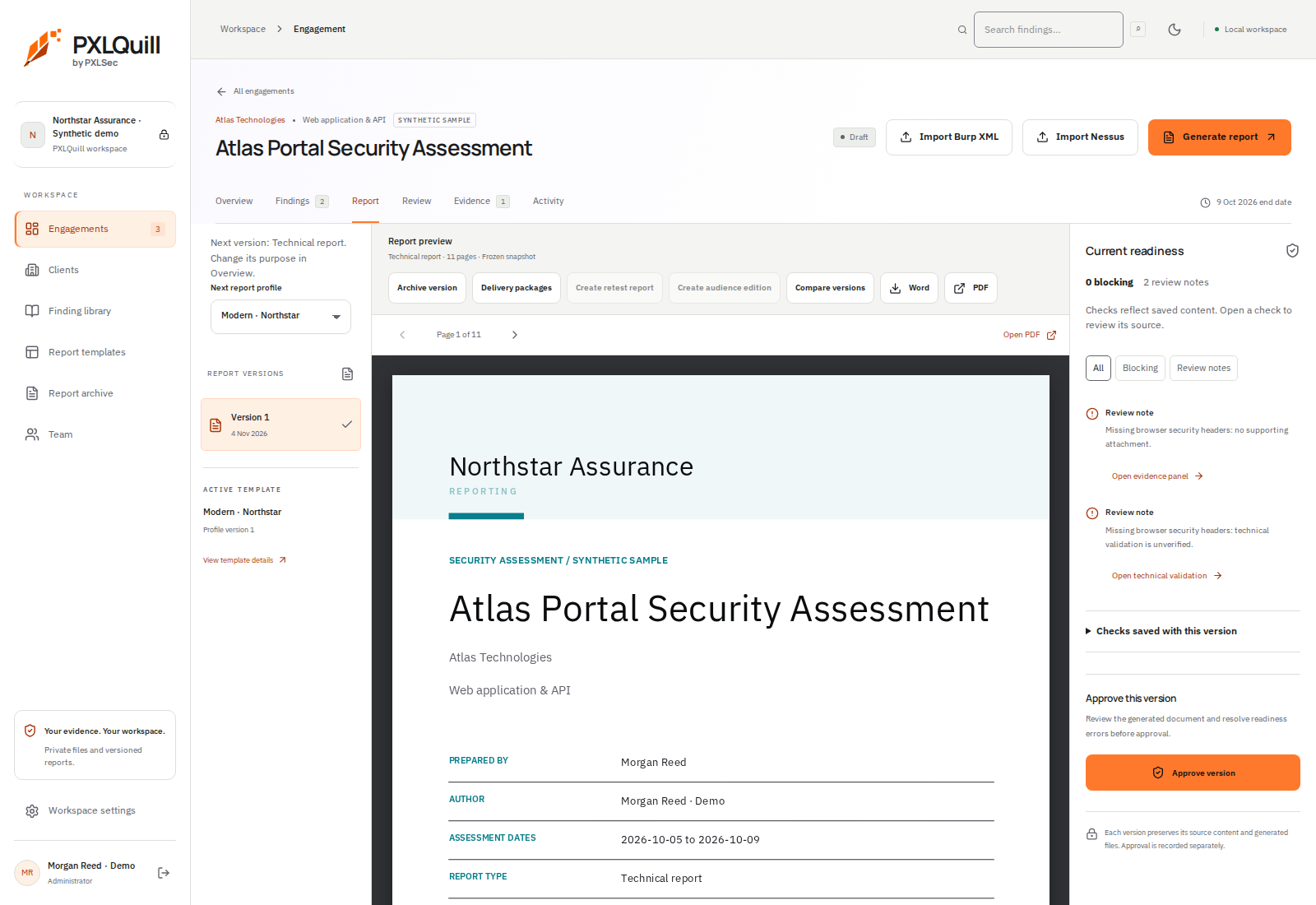
- 1Select the version to deliver
Choose the ready saved report you intend to hand over.
- 2Prepare the delivery package
The delivery controls belong to the selected report version. Review eligibility and contents.
- 3Check the exported files
Open the actual PDF and Word documents before sharing them with the client.
01 / Select the intended version
Open the ready report version that has passed your review. Check the client, classification, dates and version number, and ensure the document is the one you intend to share.
02 / Use the delivery controls
Where eligible, prepare the delivery package from the report view. Review its contents and any current readiness requirements. Do not assume that generating a package sends an email to your customer.
03 / Inspect downloaded files
Open the PDF and any Word document or supporting files you plan to deliver. Check image readability, links, page breaks and the absence of unintended sensitive content.
04 / Share through your agreed channel
Use the channel agreed with the client and record the delivered version. Product support at [email protected] is not a destination for unrequested confidential assessment evidence.