PXLQuill / Guide 07
Author findings
Make each issue reproducible, bounded and actionable.
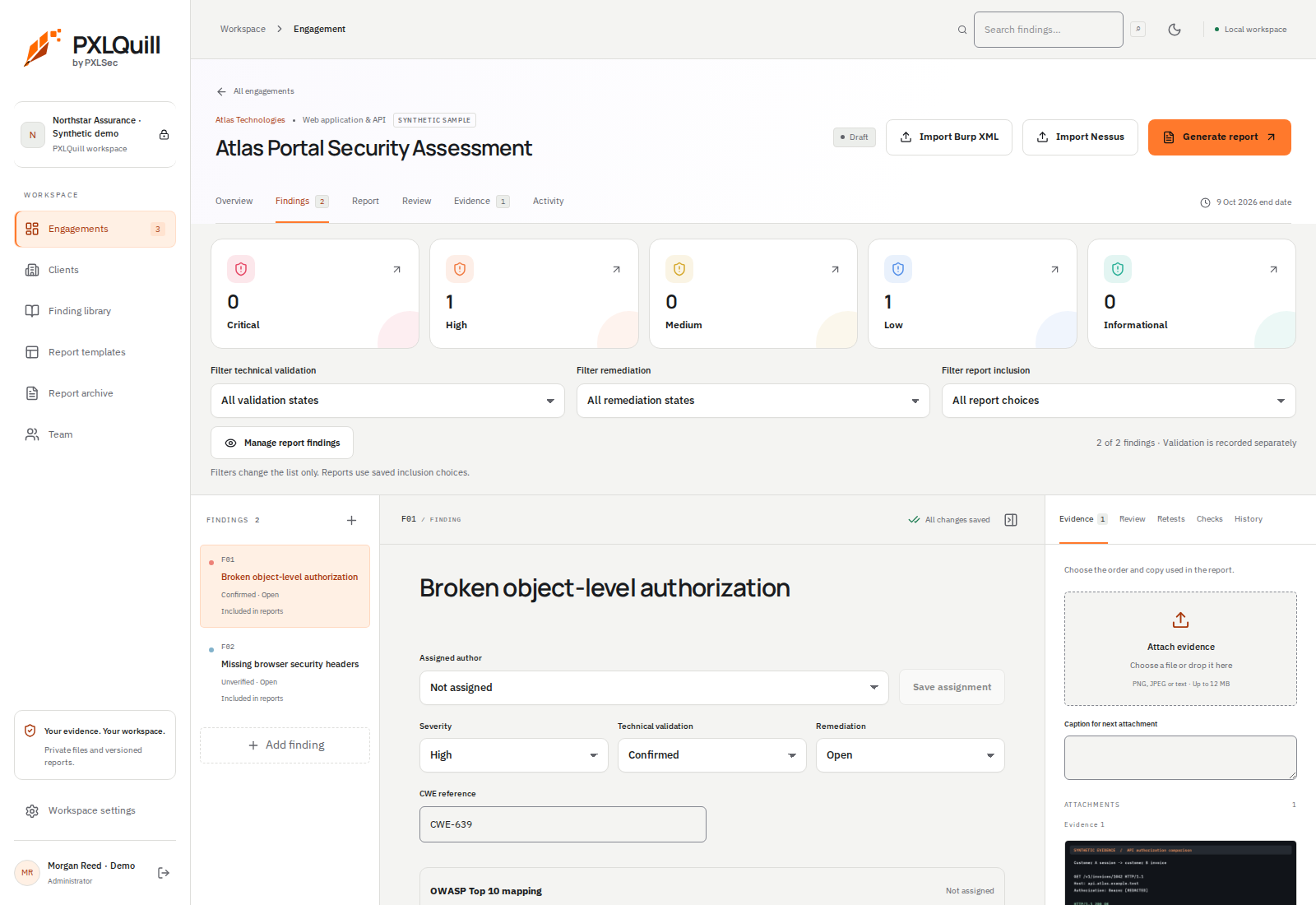
- 1Choose the finding
Use the left outline to select the issue you want to edit. A list filter does not change report inclusion.
- 2Keep the decisions separate
Severity, technical validation and remediation have distinct controls. A severe issue is not automatically confirmed.
- 3Attach supporting evidence
Use the evidence panel for attachments and captions. Check what is selected for the report.
01 / Create or reuse a finding
Add a finding directly or start from the finding library. Replace template placeholders with the actual affected component, observed behaviour and evidence. A library entry is a starting point, not proof of a vulnerability.
02 / Describe the issue precisely
Separate description, impact, reproduction steps and remediation. Include the conditions needed to reproduce the behaviour. Clearly distinguish what you observed from what remains a hypothesis.
03 / Assign severity and validation
Choose severity based on the demonstrated impact and context. Keep validation status separate: imported or draft findings should not be represented as confirmed merely because they have a high severity.
04 / Control inclusion
Use Manage report findings to choose which saved findings belong in the report. List filters only change what you see in the editor; they do not automatically change the report’s inclusion choices.