PXLQuill / Guide 14
Versions and the report archive
Keep draft changes distinct from delivered history.
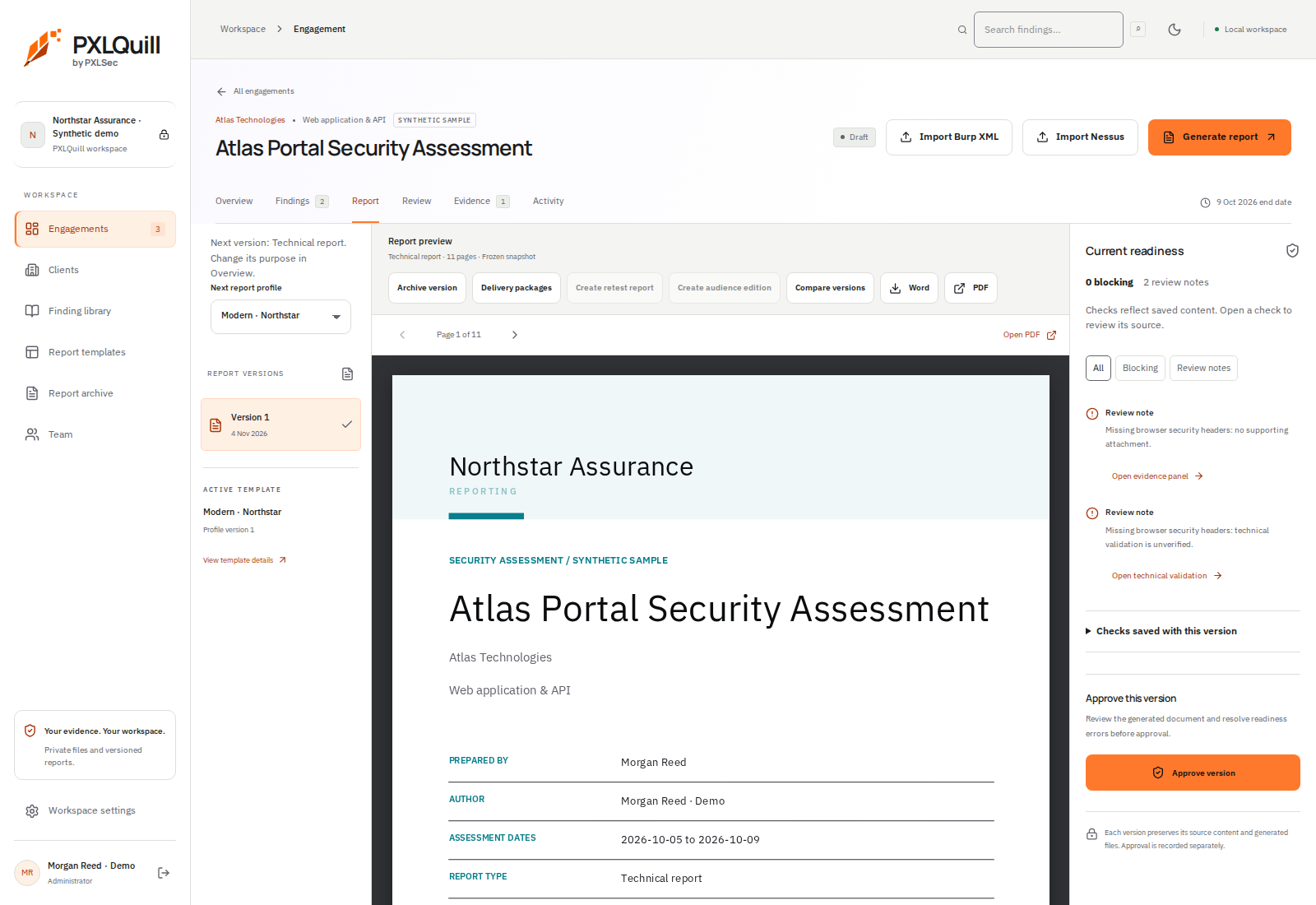
- 1Choose a saved version
The version list identifies the report snapshot currently shown.
- 2Compare deliberately
Compare the versions relevant to the handover. Later draft edits do not rewrite earlier files.
- 3Approve the intended version
Confirm the selected report and resolve the relevant readiness checks before approval.
01 / Choose the correct version
Use the report version list inside an engagement or the Report archive across engagements. Check the version number and generation time before downloading or reviewing.
02 / Compare deliberately
Where a version comparison is offered, compare the relevant generated versions and inspect changes to narrative, findings and profile formatting. A visual change can matter even if the words are identical.
03 / Understand frozen snapshots
Generated versions retain the captured content and design. Later edits to the engagement, client directory or report profile do not silently change those files.
04 / Retain the delivered reference
Record which version you actually delivered. Use that exact version when discussing client feedback or preparing a retest update, rather than assuming the latest draft matches it.